Problème Apex

salut voici un liens de mon probleme : 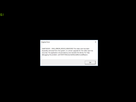
sa me fait sa en pleine game... drivers a jours idm pour windows  HELP
Mauvais forum
Le 27 novembre 2019 à 19:07:32 RoiDuPaz5 a écrit :
Mauvais forum
comment sa ?

Baisse ton OC
Le 27 novembre 2019 à 19:09:13 Nikomedia44 a écrit :
Baisse ton OC
jamais oc
Le 27 novembre 2019 à 19:10:16 Nabilktm91 a écrit :
Le 27 novembre 2019 à 19:09:13 Nikomedia44 a écrit :
Baisse ton OCjamais oc
C'est un problème de DX11 qui apparaît en général quand on OC ou quand on as un soucis avec le pilote de DX11 (problème connue avec les Nvidia sous moteur graphique Frostbite). Donc essaye de le réinstaller ou essaye ça :
Go To Windows Search 2) Search Regedit 3) Right click and select run as administrator 4) Open HKEY_LOCAL_MACHINE 5) Open SYSTEM 6) Open CurrentControlSet 7) Open Control 8) Click GraphicsDrivers 9) Right Click And Select New In Windows Registry 10) Select DWORD (32-bit) Value 11) Type TdrLevel (Write it exactly T and L should be capital) 12) Double click on TdrLevel 13) Make sure value data is 0 14) Now restart your pc Done! Problem solved, dxgi error device removed FIXED Alternatively you can just delay the detection (10-15 sec. is enough, 2 sec. (default) is not enough for these bad software). The following link explains how. This is the explaination of what it does
Un peu la flemme de traduire 
Le 27 novembre 2019 à 19:17:06 Nikomedia44 a écrit :
Le 27 novembre 2019 à 19:10:16 Nabilktm91 a écrit :
Le 27 novembre 2019 à 19:09:13 Nikomedia44 a écrit :
Baisse ton OCjamais oc
C'est un problème de DX11 qui apparaît en général quand on OC ou quand on as un soucis avec le pilote de DX11 (problème connue avec les Nvidia sous moteur graphique Frostbite). Donc essaye de le réinstaller ou essaye ça :
Go To Windows Search 2) Search Regedit 3) Right click and select run as administrator 4) Open HKEY_LOCAL_MACHINE 5) Open SYSTEM 6) Open CurrentControlSet 7) Open Control 8) Click GraphicsDrivers 9) Right Click And Select New In Windows Registry 10) Select DWORD (32-bit) Value 11) Type TdrLevel (Write it exactly T and L should be capital) 12) Double click on TdrLevel 13) Make sure value data is 0 14) Now restart your pc Done! Problem solved, dxgi error device removed FIXED Alternatively you can just delay the detection (10-15 sec. is enough, 2 sec. (default) is not enough for these bad software). The following link explains how. This is the explaination of what it does
Un peu la flemme de traduire
dans controle j'ai pas de graphicdrivers

T'es sûr de bien être dans HKEY_LOCAL_MACHINE\SYSTEM\CurrentControlSet\Control ?!
- Aide à l'achat Mac
- Création de sites web
- Internet
- Macintosh
- Création de Jeux
- Linux
- Programmation
- Steam Deck
- Hardware