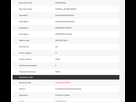
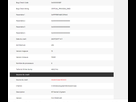
Crash Dump Analysis
--------------------------------------------------------------------------------
Crash dump directory: C:\Windows\Minidump
Crash dumps are enabled on your computer.
On Wed 26/07/2017 14:11:58 your computer crashed
crash dump file: C:\Windows\Minidump\072617-5187-01.dmp
This was probably caused by the following module: ntoskrnl.exe (nt+0x16C4C0)
Bugcheck code: 0xEF (0xFFFFBF04B1C5F640, 0x0, 0x0, 0x0)
Error: CRITICAL_PROCESS_DIED
file path: C:\Windows\system32\ntoskrnl.exe
product: Microsoft® Windows® Operating System
company: Microsoft Corporation
description: NT Kernel & System
Bug check description: This indicates that a critical system process died.
There is a possibility this problem was caused by a virus or other malware.
The crash took place in the Windows kernel. Possibly this problem is caused by another driver that cannot be identified at this time.
On Mon 24/07/2017 14:17:59 your computer crashed
crash dump file: C:\Windows\Minidump\072417-5093-01.dmp
This was probably caused by the following module: ntoskrnl.exe (nt+0x16C4C0)
Bugcheck code: 0xA0 (0x10A, 0xA, 0xFFFFC58FBCEBE3B0, 0xFFFFFFFFC0000001)
Error: INTERNAL_POWER_ERROR
file path: C:\Windows\system32\ntoskrnl.exe
product: Microsoft® Windows® Operating System
company: Microsoft Corporation
description: NT Kernel & System
Bug check description: This bug check indicates that the power policy manager experienced a fatal error.
This problem might also be caused because of overheating (thermal issue).
The crash took place in the Windows kernel. Possibly this problem is caused by another driver that cannot be identified at this time.
On Sun 23/07/2017 16:51:45 your computer crashed
crash dump file: C:\Windows\Minidump\072317-6375-01.dmp
This was probably caused by the following module: ntoskrnl.exe (nt+0x16C4C0)
Bugcheck code: 0xA0 (0x10A, 0xA, 0xFFFF8B015A9934E0, 0xFFFFFFFFC0000001)
Error: INTERNAL_POWER_ERROR
file path: C:\Windows\system32\ntoskrnl.exe
product: Microsoft® Windows® Operating System
company: Microsoft Corporation
description: NT Kernel & System
Bug check description: This bug check indicates that the power policy manager experienced a fatal error.
This problem might also be caused because of overheating (thermal issue).
The crash took place in the Windows kernel. Possibly this problem is caused by another driver that cannot be identified at this time.
On Fri 21/07/2017 02:34:43 your computer crashed
crash dump file: C:\Windows\Minidump\072117-5000-01.dmp
This was probably caused by the following module: ntoskrnl.exe (nt+0x16C4C0)
Bugcheck code: 0xA0 (0x10A, 0xA, 0xFFFFD80713781880, 0xFFFFFFFFC0000001)
Error: INTERNAL_POWER_ERROR
file path: C:\Windows\system32\ntoskrnl.exe
product: Microsoft® Windows® Operating System
company: Microsoft Corporation
description: NT Kernel & System
Bug check description: This bug check indicates that the power policy manager experienced a fatal error.
This problem might also be caused because of overheating (thermal issue).
The crash took place in the Windows kernel. Possibly this problem is caused by another driver that cannot be identified at this time.

![[[sticker:p/1lmh]]](https://image.jeuxvideo.com/stickers/p/st/1lmh)