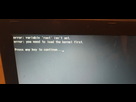
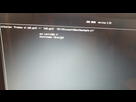
If you get to a grub prompt, it means that grub can't find the boot files that it expects. The sequence of commands to load the files and boot when grub doesn't do that for you goes something like this. First, find all partitions that grub sees:
grub> ls
(hd0) (hd0,msdos2) (hd0,msdos1)
This lists disks and partitions on the disks. One of these partitions holds your Linux system. Say it is (hd0,1). Then do:
grub> set root=(hd0,1)
grub> linux /boot/vmlinuz-4.15.0-45-generic root=/dev/sda1
Replace (hd0,1), the version number and the partition (/dev/sda1) by what is valid for your system. In the case of vmlinuz you can just type vmlinuz- and press Tab.
grub> initrd /boot/initrd.img-3.13.0-29-generic
The version string should be identical to the one for vmlinuz.
grub> boot
should now boot up your system.