Help react JS

Salut amis devs,
Je cherche un moyen de faire des arbres de compétences comme dans les jeux vidéos, et j'ai trouvé ce dépot github https://github.com/andricdrico1234/beautiful-skill-tree
Le truc c'est que je sais pas comment l'utiliser 
D'après le manifest, je dois partir d'une application react JS et importer les fonctions. Seulement je sais pas comment procéder pour faire fonctionner le bazar 
Idéalement j'aimerai 'figer' l'application en générant des pages statiques et balancer ça sur un hébergeur
Est-ce qu'il y a des gens qui peuvent m'aider svp
Merci 
Pour info, j'ai les rudiments en JS, j'ai fait aussi un peu d'angular JS par le passé, mais j'ai pas de connaissance en react JS 
Question subsidiaire : dois-je utiliser node.js pour faire tourner les scripts ?
npx create-react-app nom-de-ton-application-sans-majuscules
cd nom-de-ton-application-sans-majuscules
npm install beautiful-skill-tree
npm start
Dans ton App.js tu mets
<code>import { SkillTreeGroup, SkillTree, SkillProvider, SkillType, SkillGroupDataType } from 'beautiful-skill-tree';
const data: SkillType[] = [
{
id: 'hello-world',
title: 'Hello world',
tooltip: {
content: 'This node is the top most level, and will be unlocked, and ready to be clicked.',
},
children: [
{
id: 'hello-sun',
title: 'Hello Sun',
tooltip: {
content: 'This is a parent of the top node, and will locked while the parent isn’t in a selected state.',
},
children: [],
},
{
id: 'hello-stars',
title: 'Hello Stars',
tooltip: {
content: 'This is the child of ‘Hello World and the sibling of ‘Hello Sun’. Notice how the app takes care of the layout automatically? That’s why this is called Beautiful Skill Tree and not just ‘Skill Tree’. (Also the npm namespace had already been taken for the latter so (flick hair emoji).',
},
children: [],
},
],
},
];
function App() {
return (
<div className="App">
<div className="App-header">
<SkillProvider>
<SkillTreeGroup>
{({ skillCount }: SkillGroupDataType) => {
return <SkillTree treeId="first-tree" title="Skill Tree" data={data} />
}}
</SkillTreeGroup>
</SkillProvider>
</div>
</div>
);
}</code>
Pour modifier ton arborescence il faut jouer avec le tableau data.
Le noeud principal est tout en haut. Tu peux donner la prop "children" à chaque noeud, qui est un autre tableau contenant d'autres noeuds, tout simplement.
Après je pense qu'il vaut mieux faire ton arbre dans un objet JSON à part et l'importer; si t'as beaucoup de branches ça risque de rendre ton code galère à lire.
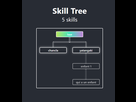
J'avais déjà essayé un truc pas avec npm mais avec yarn, ça n'a pas fonctionné
Mais je vais tenter d'installer le paquet npm sur ma distro
Je vais aller bidouiller et je viens tiens au courant, merci
Bon après quelques essais, le serveur en local se lance et essaye d'interpréter le script mais ça me sort une erreur
./src/App.js
Line 1:73: Parsing error: Unexpected character ''
> 1 | import { SkillTreeGroup, SkillTree, SkillProvider, SkillType, SkillGroupDataType } from 'beautiful-skill-tree';
| ^
2 |
3 | const data: SkillType[] = [
4 | {Le 09 octobre 2019 à 23:38:59 Gyrovague_ a écrit :
Bon après quelques essais, le serveur en local se lance et essaye d'interpréter le script mais ça me sort une erreur<code>./src/App.js
Line 1:73: Parsing error: Unexpected character ''1 | import { SkillTreeGroup, SkillTree, SkillProvider, SkillType, SkillGroupDataType } from 'beautiful-skill-tree';
| ^
2 |
3 | const data: SkillType[] = [
4 | {</code>
https://github.com/eslint/eslint/issues/4096#issuecomment-146877945
- Aide à l'achat Mac
- Internet
- Macintosh
- Création de sites web
- Création de Jeux
- Linux
- Programmation
- Steam Deck
- Hardware