Salut les FSSimeurs !!
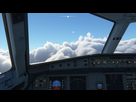
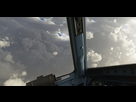
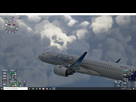
Alors moi j'AVAIS également ce gros soucis de pixelisations des nuages qui venaient gâcher la beauté du spectacle, malgré mes réglages calés sur ULTRA 
Après quelques recherches sur des forum Anglais, je suis tombé sur ca :
https://forums.flightsimulator.com/t/fix-pixelated-clouds-and-shimmering/260199
For some reason Asobo decided to force the post processing effects on by default and no way to turn each effect off in the games graphics settings. So you have to do this yourself.
NOTE: These post processing effects are purely personal preference and you can disable or enable them as you wish.
Navigate to this directory, I installed the game on a different drive but the user configs defaulted to this place for me.
C:\Users\yourname\AppData\Local\Packages\Microsoft.FlightSimulator_8wekyb3d8bbwe\LocalCache
Now find the file “UserCfg.opt” and open it with notepad or notepad++, I prefer notepad++.
Scroll all the way down the bottom of the file and you will see the “PostProcess” section.
NOTE: Entering a “0” means it is disabled, a “1” means its enabled
Disable Sharpen, Fringe(Chromatic Aberration), FilmGrain, and Vignette.
Just click save and you are all set. The game will not reset this file when you launch it. It will only reset if you change a bunch of your in game graphics settings.
If the game is too “blurry” for you start messing around with the NVIDIA freestyle filters or the image sharpening setting in the NVCP.
If you have any questions just ask me down below and I will help you to the best of my ability.
En Francais:
- Allez dans le répertoire C:\Users\yourname\AppData\Local\Packages\Microsoft.FlightSimulator_8wekyb3d8bbwe\LocalCache
- Ouvrez avec Notepad ou Blocnote le fichier "UserCfg.opt"
- Descendez jusqu'a la section "PostProcess"
- Remplacer le "1" par "0" pour les valeurs Sharpen, FilmGrain, et Vignette. (1=activé / 0=désactivé)
Une fois ce correctif appliqué, PLUS DE PIXELS tout moches !!! (Et pas de changement coté rendu graphique...)
Par ailleurs, vous pouvez changer vos options graphique dans le jeu, sans que cela ne vienne modifier cette correction.
Bon vol...
@+