Pour ceux qui ont du mal avec l'anglais :
1. in-game option --->disable supersamling---> disable vsync---->buffer count=1 (other option base on your taste)
Dans les options du jeu, désactiver "supersampling" et "vsync", mettre buffer count sur 1.
Régler les autres options à votre convenance.
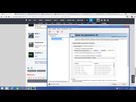
2. Download Nvidia Inspector ----> "CREATE A NEW PROFILE" ---> add nba2k16.exe into execute file
Télécharger NVIDIA Inspector, cliquer sur "create new profile", ajouter nba16.exe après avoir cliqué sur "add exe file"
3. In Nvidia Inspector NBA 2K16 profile(created in 2. ) ---> set vsync on/off here based on your need, then Max Prerender Frame set to 1 , power management type to "max performance" ---> click apply setting at the top right hand corner, done and run the game!
Dans NVIDIA Inspector modifier le profil NBA 2k16 créé comme suit:
- vsync comme vous voulez
- max prerender frame sur 1
- power management sur "max performance"
Cliquer sur "apply settings" en haut à droite et lancer.
À noter que les modifs du jeu peuvent être faites dans le fichier de configuration dans le répertoire "%APPDATA%/nba2k16"