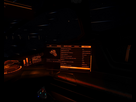
Comms Panel Update
The Comms Panel interface has been updated to allow more functionality. Once you have selected the Comms Panel [use focus mode or Comms hotkey], you can use standard interface controls to navigate the Comms Panel, cycling through four tabbed screens:
Comms Text Feed: view incoming text comms and send text comms
· Untargeted (local) comms will be broadcast to *all* nearby ships
· Use [TAB] to cycle through valid message recipients
· Use [/r] to respond to the last ship that you received comms from
· Use [/t] to send comms directly to targeted ship
· Use [/w] to send comms to all wingmen
Comms text is colour coded:
· Orange: local broadcast
· Cyan: wing broadcast
· Yellow: Direct transmission
· Red: authority broadcast
Comms Contacts: view and interact with contacts
· Highlight and select a contact to summon comms and wings options
Inbox: view and interact with invites and messages
· Highlight accept/decline icons to accept or decline a wing invitation
Comms Options: view and alter text and voice settings
· Highlight and select options to toggle them
You can use standard interface controls to navigate the Comms Panel.
https://forums.frontier.c.co.uk/showthread.php?t=120657
Message édité le 10 mars 2015 à 20:48:14 par ]nicomak[



![]nicomak[](https://image.jeuxvideo.com/avatar-md/default.jpg)