Problème Oculus link

Oui c’est ça! Au fait tu active le canal testîg public et tu laisse télécharger le patch et fait la mise à jour.
Il sera ainsi en version 14.
Ensuite tu désactive le canal testing publique. Tu laisse télécharger le patch et fait la mise à jour
Et là il s’est mis en version 13.
Une façon de forcer
"sand-" Peut tu être plus explicite et précis dans tes explications  en partant de Zero
Je recommence (dsl je suis à l’extérieur sur mon smartphone c moins facil de taper des gros texte)
Si sûr le store vous êtes en version 12 allez dans paramètre/bêta et activez le canal testing public.
Ça va télécharger un mise à jour en testing public. Une fois télécharger vous installez la mise à jour.
Ainsi en canal testing public vous serez en version 14.
Et la retournez dans paramètre/bêta et désactivez le canal testing public
Ça va donc retélécharger un patch, vous l’installez.
Et là normalement vous serez en version 13 comme l’oculus quest
Le 08 février 2020 à 17:34:45 sand- a écrit :
Je recommence (dsl je suis à l’extérieur sur mon smartphone c moins facil de taper des gros texte)Si sûr le store vous êtes en version 12 allez dans paramètre/bêta et activez le canal testing public.
Ça va télécharger un mise à jour en testing public. Une fois télécharger vous installez la mise à jour.
Ainsi en canal testing public vous serez en version 14.
Et la retournez dans paramètre/bêta et désactivez le canal testing public
Ça va donc retélécharger un patch, vous l’installez.
Et là normalement vous serez en version 13 comme l’oculus quest
hélas plusieurs personnes ont fait cette manip et une foi que l'on en version 14 et que l'on coupe le canal beta on telecharge et ont installe la version 13 elle s'installe,ensuite dans le menu paramètre du logiciel il y a marquer qu'on est en version 12 même après 10 essais
Putain un grand merci à "sand-" j'ai bataillé depuis 7h du mat' car alors que je n'avais jamais eu de problème en link jusqu'à maintenant je ne sais pas pourquoi j'avais 3 points noir qui tournaient à l'infini en me mettant en link alors que je suis en version 13 partout...j'ai essayé des tonnes de manip sur le net mais rien y faisait et c'est celle la pour moi qui a fonctionnée :
dans le occulus debug tool j'ai mis "encode resolution Width" à 2782. avant j'étais à 2912
Cela faisait 1 bon mois que je n'avais pas fait de link mais ca marchait très bien avant et j'ai du effectuer cette manip pour relancer correctement.

Hello,
Je profite de ce topic pour évoquer mon soucis avec le Link.
Hier j'installe l'appli Oculus sur mon pc portable (Gigabyte Aero 15X), je branche mon câble Koto sur le Quest, j'active le Link Beta et là ça fonctionne directement.
Puis au bout de deux minutes dans le Home, l'écran freeze dans le Quest... Mais rien au niveau du pc.
Je mets à jour l'appli Oculus et depuis impossible de faire fonctionner le Link...
Pourtant je suis bien en V13 dans l'appli et dans le casque.
Dans le Home j'ai même le "lien" pour l'Oculus Link dans le menu en bas mais quand je le sélectionne, ça ne fait rien.
Des personnes dans le même cas ? (j'ai cru lire que oui)
Je suis passé en mode beta également et ça n'a rien changé.
J'ai redémarré ordinateur et casque, toujours pareil.
moi j'ai desactivé le wifi du quest et c'est bon 
Même en désactivant le wifi, même problème.
J'ai un message d'erreur sur l'app Oculus indiquant : "Problème général avec l'appareil" mais sans plus d'informations.
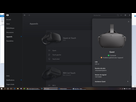
Solution trouvée : https://www.reddit.com/r/OculusQuest/comments/eziev6/oculus_link_fix_for_v14_ptc_v13_quest/
If you are getting kicked back to the Quest Home screen basically straight away:
This should fix you getting kicked straight back to the Oculus Quest Home after trying to enable Link when you are using a (mainly) non-English version of Windows, though some have had the same issue with English versions.
Press the Windows Key + R to bring up the Run dialogue.
Type mmsys.cpl then hit OK (This will bring up the old Sound dialogue).
Under the First tab, it should list speakers, headphones etc.
Scroll down until you find the one with a Headphones icon that has "Oculus Virtual Audio Device" mentioned under it.
Right click on that and click Properties.
Under the "General" tab, rename the device to "Headphones" and click OK.
Now click on to the Recording tab, and find the Microphone icon that has "Oculus Virtual Audio Device" mentioned under it.
Right click on that and click Properties.
Under the "General" tab rename the device to "Headset Microphone" and click OK.
Reboot your PC.
Try to enable Link as normal again.
Note: Some people have also said they need to set the (Oculus) Headphones and Headset Microphone as their "Default" audio devices within Windows before Link works.
moi ca ne marche pas je freeze toujour
je n'ai plus le probleme general tout est ok mais es que je lance link sa marche pendant deux secondes est puis sa crash
sa freeze
svp j'ai besoin d'aide
dans l'appli oculus il faut ajouer le rift S ou pas parce que moi jai que le quest
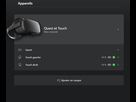

La même que toi, ça me frustre un peu cette histoire.
J'ai tout essayer là, désinstaller réinstaller l'appli Oculus sur PC, nettoyer disque dur, brancher sur tout mes port 3.0.
Crash, freeze, rien y fait.
"Problème général avec l'appareil"
et là ça me met ça. Alors que je l'ai branché sur du 3.0
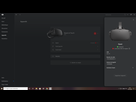
Si quelqu'un peut m'aider
j'ai un ryzen 5 3600
1660 ti
16go
J'ai un câble combo hub rallonge cable recommandé dans le topic épinglé. C'est à dire ça.
https://www.amazon.fr/gp/product/B00NH134L6/ref=ppx_yo_dt_b_asin_title_o02_s00?ie=UTF8&psc=1
https://www.amazon.fr/gp/product/B017COHTJ6/ref=ppx_yo_dt_b_asin_title_o02_s00?ie=UTF8&psc=1
https://www.amazon.fr/gp/product/B00Y25XFGK/ref=ppx_yo_dt_b_asin_title_o02_s01?ie=UTF8&psc=1
Je vais plaquer l'affaire je crois bien.
- Plateforme de téléchargement PC
- Réalité Virtuelle