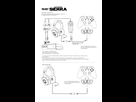
D'après Turtle Beach il faudrait faire ceci 
Please follow these steps to ensure you have your headset connected and setup properly.
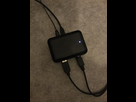
Make sure to remove the small clear plastic clips from the ends of the optical cable. Connect one end to the console and the other end to the Console Interface unit.
You will also need to connect the USB cable from the console to the Interface unit.
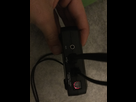
Now connect your Control unit to the interface unit using the USB connector and DIN connector.
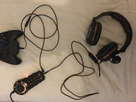
Your headset has a quick disconnect connection to a standard 3.5mm jack lead. This must be connected to the headset and to the Control unit.
Go to your Xbox Dashboard and select Dolby Digital 5.1 for the audio output.
To enable chat over Xbox Live you must connect the included talkback cable from the control unit to your control pad. Then in the voice preferences settings screen choose "play through headset" with a volume of 10 for chat.
Your headset is now set up correctly.