salut, depuis quelques temps j'ai du changer mon processeur et ma carte mère car tout avait grillé, depuis j'ai un ecran bleu qui me force a redémarrer de temps en temps.
je m'y connais pas trop en ordi, le seul truc que je sais c'est qu'il est conseillé d'avoir ses drivers a jour donc de coté la je suis ok, mais je vois pas trop d'ou peut venir le probleme (bios ou autre?).
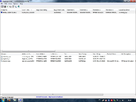
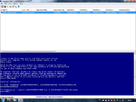
je poste mon rapport whocrashed en esperant que vous pourrez m'aider, je viens de formater mon pc (en pensant que ça ne le ferait plus, mais rien n'y fait):
Crash Dump Analysis
--------------------------------------------------
------------------------------
Crash dump directory: C:\Windows\Minidump
Crash dumps are enabled on your computer.
On Mon 04/06/2012 21:53:01 GMT your computer crashed
crash dump file: C:\Windows\Minidump\060412-20186-01.dmp
This was probably caused by the following module: ntoskrnl.exe (nt+0x70040)
Bugcheck code: 0x101 (0x31, 0x0, 0xFFFFF880009EA180, 0x1)
Error: CLOCK_WATCHDOG_TIMEOUT
file path: C:\Windows\system32\ntoskrnl.exe
product: Microsoft® Windows® Operating System
company: Microsoft Corporation
description: NT Kernel & System
Bug check description: This indicates that an expected clock interrupt on a secondary processor, in a multi-processor system, was not received within the allocated interval.
This appears to be a typical software driver bug and is not likely to be caused by a hardware problem. This problem might be caused by a thermal issue.
The crash took place in the Windows kernel. Possibly this problem is caused by another driver which cannot be identified at this time.
On Mon 04/06/2012 21:53:01 GMT your computer crashed
crash dump file: C:\Windows\memory.dmp
This was probably caused by the following module: hal.dll (hal!HalReturnToFirmware+0xB2D)
Bugcheck code: 0x101 (0x31, 0x0, 0xFFFFF880009EA180, 0x1)
Error: CLOCK_WATCHDOG_TIMEOUT
file path: C:\Windows\system32\hal.dll
product: Microsoft® Windows® Operating System
company: Microsoft Corporation
description: Hardware Abstraction Layer DLL
Bug check description: This indicates that an expected clock interrupt on a secondary processor, in a multi-processor system, was not received within the allocated interval.
This appears to be a typical software driver bug and is not likely to be caused by a hardware problem. This problem might be caused by a thermal issue.
The crash took place in a standard Microsoft module. Your system configuration may be incorrect. Possibly this problem is caused by another driver on your system which cannot be identified at this time.