[CSS] Création d'un menu déroulant

Bonjour à tous 
je travaille actuellement sur un projet scolaire (1er - Terminal) et je dois créer un site design, css3 html5 
Voilà mon probleme
J'ai a gauche inseret un menus vertical, j'aimerais que ce menus soit en dessous de "Nuli" (photo ci-dessous)
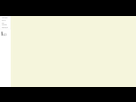
Nuli ainsi que le fond blanc provient d'un .png de 150px par 1920px sur fond blanc
l'autre couleur c'est du #background-color
j'ai essayé avec top, padding, margin etc...
(je suis débutant en css3)
merci d'avance et bonne soirée/journée 
- et que Nuli reprennent ça place d'origine c.a.d top:0px
voilà mon code (pris sur un autre site)
/* style du bloc ul */
.menu-vertical {
width: 150px; /* optionnel, c'est pour la démo */
list-style: none; /* supprime les puces de liste */
padding: 4px; /* on fait un peu de place autour des liens */
margin: 0; /* on annule les marges */
background: #F2F2F2;
}
/* styles des liens et éléments de liste */
.mv-item,
.mv-item a {
/* les liens et item deviennent des blocs */
/* suffit théoriquement à virer les puces de liste */
display: block;
}
/* styles des liens */
.mv-item a {
margin: 1px 0; /* espace les liens d'1 px */
padding: 8px 20px; /* marges internes pour aérer */
color: #666;
background: #FFF;
text-decoration: none; /* on vire le soulignement */
/* on définit la transition pour les navigateurs */
-webkit-transition: all .3s; /* Chrome/Safari */
-moz-transition: all .3s; /* Firefox (plus trop nécessaire) */
transition: all .3s; /* syntaxe officielle */
}
/* styles changeants au survol et focus */
.mv-item a:hover,
.mv-item a:focus {
background: #1ABC9C;
color: #FFF;
padding-left: 30px; /* décalage du contenu de 10px vers la droite (30-20 = 10) */
}

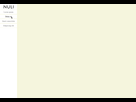
Le principe est simple, tu dois positionner ton image avant ton menu dans l'HTML. Inutile de créer une si grande image pour un si petit logo, dans mon exemple le logo fait 150px de large sur 50px de haut. Le menu a une hauteur de 100% et un background blanc.
RENDU:
CODE HTML:
<!DOCTYPE html>
<html lang="fr">
<body>
<div id="menu">
<img src="style/logo.jpg" alt="Nuli">
<ul>
<li><a href="#">Lorem ipsum</a></li>
<li><a href="#">Dolor sit</a></li>
<li><a href="#">Amet consectetur</a></li>
<li><a href="#">Adipiscing elit</a></li>
</ul>
</div>
</body>
</html>
CODE CSS:
html, body
{
width:100%;
height:100%;
}
body
{
margin:0;
padding:0;
background:#f5f5dc;
}
- menu{
width:150px;
height:100%;
background:white;
}
- menu img{
display:block;
}
- menu ul{
list-style-type:none;
margin:0;
padding:0;
}
- menu ul li{
width:150px;
height:auto;
padding-top:8px;
padding-bottom:8px;
border-top:2px solid #f5f5dc;
border-bottom:2px solid #f5f5dc;
text-align:center;
}
- menu ul li a{
color:grey;
text-decoration:none;
}
- menu ul li a:hover{
color:black;
}

Il ne faudrait pas que tout le fond blanc de gauche soit dans un png, ça fait une grosse image et ça va fortement impacter le temps de chargement de ton site.
Fais une div pour ta sidebar à gauche et fais un jpg de ton logo sur fond blanc, ou à la limite un png transparent si jamais tu change la couleur blanche par la suite.
 Basic
Basic
C'est a dire que le 1er code en HTML est prioritaire sur la page ?
Je vais donc enlever mon PNG pour mettre uniquement le logo
L'idée après c'était que en scrollant la page tout cette partie blanche + logo + menu ne bouge pas
Lecrou
Merci du conseil, je prend note ^^
.jpg moins lourd a image égal que un .PNG dans toute les situations ?
Le jpg a une moins bonne qualité comparé a un .PNG ?
Si tu n'as pas de transparence, le JPG est à préférer car moins lourd et amplement suffisant niveau qualité. La page va se charger dans l'ordre, donc si tu places une image avant un menu sans avoir réglé de positions particulières, elle se placera avant celui-ci.
Il te suffit d'ajouter une position:fixed à ton menu pour obtenir ce que tu veux.
- menu{
width:150px;
height:100%;
background:white;
position:fixed;
}
- Aide à l'achat Mac
- Macintosh
- Création de sites web
- Création de Jeux
- Linux
- Programmation
- Internet
- Steam Deck
- Hardware