http://i57.servimg.com/u/f57/11/28/97/42/ft11.png
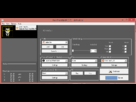
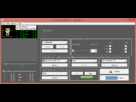
C'est les settings.
1.) Just install the most up to date Software. (1.7 (as of 18.03.2013))
2.) Copy "tirviews.dll" to your Facetrack-folder. You may get it from an installation of the TrackIR-Software
3.) Restart Facetrack
4.) Click "Settings" -> Check "Use tirviews.dll". Choose "Freetrack 2.0" as game-protocoll. (TrackIR first, Freetrack hide)
5.) Make sure, tracking is working for you by watching the video feed with the yellow marker. (You may have to approach your camera until the tracking starts to work)
6.) You may not be able to setup an axis for the headtracking device. Just start a testflight and try it. It will work fine.
7.) Adjust your curves setup to your need. (I will post my working settings when i come home)
http://forum.warthunder.com/index.php?/topic/10031-wiki-using-trackir-or-freetrack-with-warthunder/



 , personne n'a d'idée?