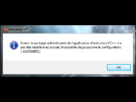
If you are receiving an error that states your VC++ runtime package has not installed correctly while installing your EA title, try seeing if you have any pending Windows Updates.
If you receive an error telling you that your VC++ runtime package has not installed correctly when installing your EA title, from FIFA 14 to The Sims 4, try seeing if you have any pending Windows Updates that may be getting in your way.
If your Windows versioning is completely up-to-date, you may be having issues with a specific security update that simply needs to be repaired or reinstalled.
You can find this file in your game's installation path, usually C:\Program Files (x86)\Origin Games\GAME TITLE.
For example, Battlefield 4's installation path is C:\Program Files (x86)\Origin Games\Battlefield 4, by default.
Once in your game-folder, find and head into the _Installer folder, and then the redist folder.
If you aren't sure how to get to your installation folder, click the Start button, then head to Computer--or My Computer--then your main hard disk drive, usually labelled C:, then Program Files (x86), then Origin Games, and finally, your afflicted game. The _Installer and redist folders should be within the folder with your game's name.
In redist, find both the x86 and x64 versions of vcredist.exe, and run each to install.
Once both version of vcredist.exe have been installed or repaired, your game should launch without error.
If you're unable to launch your game and have been told you're missing msvcp120.dll--or potentially a different dll--or you can't find the vcredist.exe files in your installation folder, you can try downloading and installing the appropriate Visual C++ Redistributable Package for Visual Studio 2013 from Microsoft's Download Center.
Select your language and click the Download button, then choose either vcredist_x64.exe if you're running a 64-bit version of Windows, or vcredist_x86.exe if you have a 32-bit Windows OS.
If you're not sure what sort of operating system your version of Windows is, right-click on Computer or My Computer and select Properties. Under System you should be able to find 64- or 32-bit Operating System.
To find out how more about your system, learn how to find your MSInfo, where to read your DXDIAG, and check your network connection with UOTrace--all here on EA Help.

 voila lorsque j'installe bf4 avec origin l'installation se stop a 27% et le message d'erreur suivant apparé :