Bonjour à tous 
Voilà je recherchai un pack de texture et j'en ait trouvé un à mon gout: http://www.9minecraft.net.net/reall-light-texture-pack/
Problème: lorsque je le sélectionne dans le menu texture pack de minecraft le jeu crash : Minecraft has crashed!
----------------------
Minecraft has stopped running because it encountered a problem; Rendering screen
A full error report has been saved to C:\Users\Michaël\AppData\Roaming\.minecraft\crash-
reports\crash-2013-06-01_15.31.40-client.txt
- Please include a copy of that file (Not this screen!) if you report this crash to anyone; without it, they will not be able to help fix the crash 
--- BEGIN ERROR REPORT 9f62201a --------
Full report at:
C:\Users\Michaël\AppData\Roaming\.minecraft\crash-
reports\crash-2013-06-01_15.31.40-client.txt
Please show that file to Mojang, NOT just this screen!
Generated 01/06/13 15:31
-- Head --
Stacktrace:
at bio.<init>(SourceFile:117)
at bio.<init>(SourceFile:108)
at biq.a(SourceFile:127)
at biq.a(SourceFile:133)
at bim.c(SourceFile:60)
at bir.b(SourceFile:102)
at bge.d(SourceFile:350)
at bge.c(SourceFile:301)
at bjx.a(SourceFile:146)
at axt.a(SourceFile:175)
at bjw.a(SourceFile:109)
-- Screen render details --
Details:
Screen name: bjw
Mouse location: Scaled: (157, 117). Absolute: (315, 244)
Screen size: Scaled: (427, 240). Absolute: (854, 480). Scale factor of 2
Stacktrace:
at bfq.b(SourceFile:768)
at net.minecraft.client.Minecraft.K(SourceFile:597)
at net.minecraft.client.Minecraft.run(SourceFile:526)
at java.lang.Thread.run(Unknown Source)
-- System Details --
Details:
Minecraft Version: 1.5.2
Operating System: Windows 7 (amd64) version 6.1
Java Version: 1.7.0_21, Oracle Corporation
Java VM Version: Java HotSpot(TM) 64-Bit Server VM (mixed mode), Oracle Corporation
Memory: 857257928 bytes (817 MB) / 896925696 bytes (855 MB) up to 954466304 bytes (910 MB)
JVM Flags: 2 total; -Xms512m -Xmx1024m
AABB Pool Size: 0 (0 bytes; 0 MB) allocated, 0 (0 bytes; 0 MB) used
Suspicious classes: No suspicious classes found.
IntCache: cache: 0, tcache: 0, allocated: 0, tallocated: 0
LWJGL: 2.4.2
OpenGL: GeForce GTX 650/PCIe/SSE2 GL version 4.3.0, NVIDIA Corporation
Is Modded: Probably not. Jar signature remains and client brand is untouched.
Type: Client (map_client.txt)
Texture Pack: RealL.zip
Profiler Position: N/A (disabled)
Vec3 Pool Size: ~~ERROR~~ NullPointerException: null
java.lang.OutOfMemoryError: Java heap space
at bio.<init>(SourceFile:117)
at bio.<init>(SourceFile:108)
at biq.a(SourceFile:127)
at biq.a(SourceFile:133)
at bim.c(SourceFile:60)
at bir.b(SourceFile:102)
at bge.d(SourceFile:350)
at bge.c(SourceFile:301)
at bjx.a(SourceFile:146)
at axt.a(SourceFile:175)
at bjw.a(SourceFile:109)
at bfq.b(SourceFile:768)
at net.minecraft.client.Minecraft.K(SourceFile:597)
at net.minecraft.client.Minecraft.run(SourceFile:526)
at java.lang.Thread.run(Unknown Source)
--- END ERROR REPORT eeffea59 ----------
De plus lorsque je relance le jeu cela m'affiche le mojang du pack de texture sélectioné puis un écran noir: 
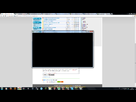
j'en appelle donc à votre sagesse pour trouver un moyen de résoudre ce problème et peut être réussire à enfin jouer avec ce pack de texture. Je précise que j'ai essayer avec mcpatcher mais que cela n'à pas résolu mon problème (peut ètre que je l'utilise mal???).
Voilà merci d'avance de vos réponses et à bientôt! 
_______________________
let's go marco \  /
/



 ?
?
