INSTALLATION:
1. If you are coming from a different ENB config, DELETE any leftover or existing ENB files, especially the EFFECT.TXT file located in your Skyrim folder (Your Skyrim Folder is where TESV.exe should be located) If this file is left over, my ENB will use old data from your previous ENB. Disable any other Graphical mods that might interfere with this ENB: (CoT, RLFX, etc.) This config is meant to be used with Vanilla weathers. Nothing more is supported at this time for this particular preset. However, feel free to experiment. (I am making a COT supported version currently) UPDATE: ELFX is supported. I've tested and it looks fantastic!!
2. Copy all the files to your Skyrim directory (where TESV.exe is located). Click yes if asked to overwrite. Don't forget to put the ENB binary file here as well. (the d3d9.dll file mentioned at the beginning)
3. Editing SkyrimPrefs.ini:
Edit or add the next lines inside "SkyrimPrefs.ini" located in "C:Users********Documents\My Games\Skyrim" to look like this:
iBlurDeferredShadowMask=1
fGamma=1.0400
bFloatPointRenderTarget=1
bDeferredShadows=1
bTreesReceiveShadows=1
bDrawLandShadows=1
bShadowsOnGrass=1
iMultiSample=0
4. Editing enblocal.ini
[MEMORY]
ReservedMemorySizeMb=64 ... (256,512,1024)
For video cards with 2GB or more VRAM, 512 is a good baseline. For less VRAM, 256 can work better.
VideoMemorySizeMb=0 ... change to your VRAM size. (512,1024,2048...)
This setting should be set according to the available VRAM.
5. Disable "Anti-Aliasing" and "Anisotropic filtering" in the SkyrimLauncher options. Not doing so will disable some ENB effects.
6. Enable all .esp files that are included and load them in the following order...
ENB Snow Fx.esp
Opeth_torch.esp
tweak_fog-AmbL_c.esp
rain_fog_storm_fix.esp
ELE-Spell and Torch Lighting.esp
(If you use Pure Weather, just put it at above ENB Snow Fx.esp)
7. Enjoy the ENB!
après je l'ai jamais testé cet enb j'peux pas te dire si il rend bien ou non 


 .
.
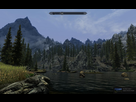
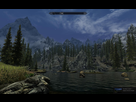

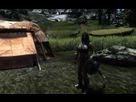
 Aeon ENB realistic version couplé avec NLA ( seulement le ESP ), Imaginator pour gérer le contraste, Skyrim HD 2K Texture, Skyrim Flora Overhaul, Enhanced FX and light.