salut, j'ai installer nmm, et ça me met un message d'erreur:
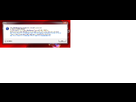
donc je vais dans le log créer et ça marque ça:
Trace file has been created: TraceLog20130911220404.txt
Mod Manager Version: 0.45.6.0
OS version: Microsoft Windows NT 6.1.7601 Service Pack 1
Installed .NET Versions:
v2.0.50727 SP 2
v3.0 SP 2
v3.5 SP 1
Tracing is forced: False
Discovering Game Mode Factories...
Looking in: C:\Program Files (x86)\Steam\SteamApps\common\Skyrim\Nexus Mod Manager\GameModes
Checking: DarkSouls.dll
Initializing: Nexus.Client.Games.DarkSouls.DarkSoulsGameModeFact
ory
Checking: DarkSouls.ModScript.dll
Cannot load C:\Program Files (x86)\Steam\SteamApps\common\Skyrim\Nexus Mod Manager\GameModes\DarkSouls.ModScript.dll: cannot find dependency ModScript, Version=1.1.0.0, Culture=neutral, PublicKeyToken=null
Checking: DragonAge.dll
Initializing: Nexus.Client.Games.DragonAge.DragonAgeGameModeFact
ory
Checking: DragonAge.ModScript.dll
Cannot load C:\Program Files (x86)\Steam\SteamApps\common\Skyrim\Nexus Mod Manager\GameModes\DragonAge.ModScript.dll: cannot find dependency ModScript, Version=1.1.0.0, Culture=neutral, PublicKeyToken=null
Checking: DragonAge2.dll
Initializing: Nexus.Client.Games.DragonAge2.DragonAge2GameModeFa
ctory
Checking: DragonAge2.ModScript.dll
Cannot load C:\Program Files (x86)\Steam\SteamApps\common\Skyrim\Nexus Mod Manager\GameModes\DragonAge2.ModScript.dll: cannot find dependency ModScript, Version=1.1.0.0, Culture=neutral, PublicKeyToken=null
Checking: Fallout3.CSharpScript.dll
Cannot load C:\Program Files (x86)\Steam\SteamApps\common\Skyrim\Nexus Mod Manager\GameModes\Fallout3.CSharpScript.dll: cannot find dependency CSharpScript, Version=1.1.0.0, Culture=neutral, PublicKeyToken=null
Checking: Fallout3.dll
Initializing: Nexus.Client.Games.Fallout3.Fallout3GameModeFactor
y
Checking: Fallout3.XmlScript.dll
Cannot load C:\Program Files (x86)\Steam\SteamApps\common\Skyrim\Nexus Mod Manager\GameModes\Fallout3.XmlScript.dll: cannot find dependency XmlScript, Version=1.1.0.0, Culture=neutral, PublicKeyToken=null
Checking: FalloutNV.CSharpScript.dll
Cannot load C:\Program Files (x86)\Steam\SteamApps\common\Skyrim\Nexus Mod Manager\GameModes\FalloutNV.CSharpScript.dll: cannot find dependency CSharpScript, Version=1.1.0.0, Culture=neutral, PublicKeyToken=null
Checking: FalloutNV.dll
Initializing: Nexus.Client.Games.FalloutNV.FalloutNVGameModeFact
ory
Checking: FalloutNV.XmlScript.dll
Cannot load C:\Program Files (x86)\Steam\SteamApps\common\Skyrim\Nexus Mod Manager\GameModes\FalloutNV.XmlScript.dll: cannot find dependency XmlScript, Version=1.1.0.0, Culture=neutral, PublicKeyToken=null
Checking: GamebryoBase.dll
Checking: Grimrock.dll
Initializing: Nexus.Client.Games.Grimrock.GrimrockGameModeFactor
y
Checking: Grimrock.ModScript.dll
Cannot load C:\Program Files (x86)\Steam\SteamApps\common\Skyrim\Nexus Mod Manager\GameModes\Grimrock.ModScript.dll: cannot find dependency ModScript, Version=1.1.0.0, Culture=neutral, PublicKeyToken=null
Checking: Morrowind.dll
Initializing: Nexus.Client.Games.Morrowind.MorrowindGameModeFact
ory
Checking: Morrowind.ModScript.dll
Cannot load C:\Program Files (x86)\Steam\SteamApps\common\Skyrim\Nexus Mod Manager\GameModes\Morrowind.ModScript.dll: cannot find dependency ModScript, Version=1.1.0.0, Culture=neutral, PublicKeyToken=null
Checking: Oblivion.dll
Initializing: Nexus.Client.Games.Oblivion.OblivionGameModeFactor
y
Checking: Oblivion.ModScript.dll
Cannot load C:\Program Files (x86)\Steam\SteamApps\common\Skyrim\Nexus Mod Manager\GameModes\Oblivion.ModScript.dll: cannot find dependency ModScript, Version=1.1.0.0, Culture=neutral, PublicKeyToken=null
Checking: Skyrim.CSharpScript.dll
Cannot load C:\Program Files (x86)\Steam\SteamApps\common\Skyrim\Nexus Mod Manager\GameModes\Skyrim.CSharpScript.dll: cannot find dependency CSharpScript, Version=1.1.0.0, Culture=neutral, PublicKeyToken=null
Checking: Skyrim.dll
Initializing: Nexus.Client.Games.Skyrim.SkyrimGameModeFactory
Checking: Skyrim.XmlScript.dll
Cannot load C:\Program Files (x86)\Steam\SteamApps\common\Skyrim\Nexus Mod Manager\GameModes\Skyrim.XmlScript.dll: cannot find dependency XmlScript, Version=1.1.0.0, Culture=neutral, PublicKeyToken=null
Checking: Witcher2.dll
Initializing: Nexus.Client.Games.Witcher2.Witcher2GameModeFactor
y
Checking: Witcher2.ModScript.dll
Cannot load C:\Program Files (x86)\Steam\SteamApps\common\Skyrim\Nexus Mod Manager\GameModes\Witcher2.ModScript.dll: cannot find dependency ModScript, Version=1.1.0.0, Culture=neutral, PublicKeyToken=null
Checking: WorldOfTanks.dll
Initializing: Nexus.Client.Games.WorldOfTanks.WoTGameModeFactory
Checking: WorldOfTanks.ModScript.dll
Cannot load C:\Program Files (x86)\Steam\SteamApps\common\Skyrim\Nexus Mod Manager\GameModes\WorldOfTanks.ModScript.dll: cannot find dependency ModScript, Version=1.1.0.0, Culture=neutral, PublicKeyToken=null
Searching for the installation paths of:
Dark Souls (DarkSouls)
Checking Last Installation Path...
Returned: (IsNull=True)
Asking Game Mode...
Returned: (IsNull=True)
Dragon Age (DragonAge)
Checking Last Installation Path...
Returned: (IsNull=True)
Asking Game Mode...
Returned: (IsNull=True)
Dragon Age 2 (DragonAge2)
Checking Last Installation Path...
Returned: (IsNull=True)
Asking Game Mode...
Returned: (IsNull=True)
Fallout 3 (Fallout3)
Checking Last Installation Path...
Returned: (IsNull=True)
Asking Game Mode...
Checking: HKEY_LOCAL_MACHINE\Software\Wow6432Node\Bethesda Softworks\Fallout3\Installed Path
Found
Returned: (IsNull=True)
Fallout: New Vegas (FalloutNV)
Checking Last Installation Path...
Returned: (IsNull=True)
Asking Game Mode...
Checking: HKEY_LOCAL_MACHINE\Software\Wow6432Node\Bethesda Softworks\FalloutNV\Installed Path
Found
Returned: (IsNull=True)
Legend of Grimrock (Grimrock)
Checking Last Installation Path...
Returned: (IsNull=True)
Asking Game Mode...
Returned: (IsNull=True)
Morrowind (Morrowind)
Checking Last Installation Path...
Returned: (IsNull=True)
Asking Game Mode...
Checking: HKEY_LOCAL_MACHINE\Software\Wow6432Node\Bethesda Softworks\Morrowind\Installed Path
Found
Returned: (IsNull=True)
Oblivion (Oblivion)
Checking Last Installation Path...
Returned: (IsNull=True)
Asking Game Mode...
Checking: HKEY_LOCAL_MACHINE\Software\Wow6432Node\Bethesda Softworks\Oblivion\Installed Path
Found
Returned: (IsNull=True)
Skyrim (Skyrim)
Checking Last Installation Path...
Returned: (IsNull=True)
Asking Game Mode...
Checking: HKEY_LOCAL_MACHINE\Software\Wow6432Node\Bethesda Softworks\Skyrim\Installed Path
Found C:\Program Files (x86)\Steam\steamapps\common\Skyrim\
Returned: C:\Program Files (x86)\Steam\steamapps\common\Skyrim\ (IsNull=False)
Tracing an Unhandled Exception:
Exception:
Message:
Could not load file or assembly 'System.Core, Version=3.5.0.0, Culture=neutral, PublicKeyToken=b77a5c561934e089' or one of its dependencies. The system cannot find the file specified.
Full Trace:
System.IO.FileNotFoundException: Could not load file or assembly 'System.Core, Version=3.5.0.0, Culture=neutral, PublicKeyToken=b77a5c561934e089' or one of its dependencies. The system cannot find the file specified.
File name: 'System.Core, Version=3.5.0.0, Culture=neutral, PublicKeyToken=b77a5c561934e089'
at Nexus.Client.UI.Controls.GameModeSearchListViewIte
m.Detector_PathFound(Object
sender, GameModeDiscoveredEventArgs e)
at System.EventHandler`1.Invoke(Object sender, TEventArgs e)
at Nexus.Client.Games.GameDiscoverer.OnPathFound(Game
ModeDiscoveredEventArgs
e)
at Nexus.Client.Games.GameDiscoverer.FoundCandidate(I
GameModeDescriptor
gmdGameMode, String p_strInstallationPath)
at Nexus.Client.Games.GameDiscoverer.Find(IEnumerable
`1
p_lstGameModesToFind)
at Nexus.Client.Bootstrapper.GetInstalledGameModes(Ga
meModeRegistry
p_gmrSupportedGameModes)
at Nexus.Client.Bootstrapper.RunMainForm(String[] p_strArgs)
at Nexus.Client.Program.Main(String[] p_strArgs)
WRN: Assembly binding logging is turned OFF.
To enable assembly bind failure logging, set the registry value [HKLM\Software\Microsoft\Fusion!EnableLog] (DWORD) to 1.
Note: There is some performance penalty associated with assembly bind failure logging.
To turn this feature off, remove the registry value [HKLM\Software\Microsoft\Fusion!EnableLog].
Bref je comprend rien 
Ps: oui j'ai déjà installer/désinstaller skyrim et nmm plusieurs fois
ps2: oui j'ai lancer en admin 
Merci 
