Comment supprimer Techbrowsing ?

Salut,
Comment supprimer TechBrowsing ? C'est une page internet qui s'ouvre toute seule et avec une simple recherche il parait que c'est un virus. Un coup de spybot suffira ?
Merci
https://toolslib.net/downloads/viewdownload/1-adwcleaner/
Passes en un coup : analyser puis nettoyer
Merci ! 
Voilà le rapport de AdwCleaner (je vois nul par de technbrowsing) :
- AdwCleaner v3.302 - Rapport créé le 02/08/2014 à 18:25:22
- Mis à jour le 30/07/2014 par Xplode
- Système d'exploitation : Windows 8 (64 bits)
- Nom d'utilisateur : Nicolas - NICOLAS
- Exécuté depuis : C:\Users\Nicolas\Downloads\AdwCleaner-3.302.exe
- Option : Nettoyer
- ** [ Services ] *****
Service Supprimé : hshld
[#] Service Supprimé : hsstrayservice
Service Supprimé : hsswd
- ** [ Fichiers / Dossiers ] *****
Dossier Supprimé : C:\ProgramData\hotspot shield
Dossier Supprimé : C:\ProgramData\Microsoft\Windows\Start Menu\Programs\hotspot shield
Dossier Supprimé : C:\Program Files (x86)\hotspot shield
Dossier Supprimé : C:\windows\SysWOW64\hotspot shield
Dossier Supprimé : C:\Users\Nicolas\AppData\Roaming\cacaoweb
Dossier Supprimé : C:\Users\Nicolas\AppData\Roaming\hotspot shield
Dossier Supprimé : C:\Users\Nicolas\AppData\Roaming\Mozilla\Firefox\P
rofiles\d5rdef5h.default\Extensions\cacaoweb@cacao
web.org
Fichier Supprimé : C:\Users\Administrator\Favorites\eBay.lnk
- ** [ Tâches planifiées ] *****
- ** [ Raccourcis ] *****
- ** [ Registre ] *****
Valeur Supprimée : HKCU\Software\Microsoft\Windows\CurrentVersion\Run
[cacaoweb]
Clé Supprimée : HKCU\Software\anchorfree
Clé Supprimée : HKCU\Software\cacaoweb
Clé Supprimée : HKCU\Software\Softonic
Clé Supprimée : HKCU\Software\YahooPartnerToolbar
Clé Supprimée : HKLM\Software\hotspotshield
Clé Supprimée : HKLM\SOFTWARE\Microsoft\Windows\CurrentVersion\Uni
nstall\hotspotshield
- ** [ Navigateurs ] *****
-\\ Internet Explorer v10.0.9200.16384
-\\ Mozilla Firefox v30.0 (fr)
[ Fichier : C:\Users\Nicolas\AppData\Roaming\Mozilla\Firefox\P
rofiles\d5rdef5h.default\prefs.js
]
-\\ Google Chrome v36.0.1985.125
[ Fichier : C:\Users\Nicolas\AppData\Local\Google\Chrome\User Data\Default\preferences ]
- **********************
AdwCleaner[R0].txt - [2184 octets] - [02/08/2014 18:17:03]
AdwCleaner[R1].txt - [2244 octets] - [02/08/2014 18:23:36]
AdwCleaner[S0].txt - [1994 octets] - [02/08/2014 18:25:22]
- ####### EOF - C:\AdwCleaner\AdwCleaner[S0].txt - [2054 octets] ##########
T'as quoi comme extensions/modules dans tes navigateurs ?
J'ai les deux Adblocks, Hola Internet en Mieux (un truc pour fausser la localisation de mon adresse IP pour regarder des vidéos YT bloquées en france), et un truc pour mettre les icones emojis.
Peux tu me c/c le contenu de ton fichier host ?
C:\windows\system32\drivers\etc\hosts
Tu l'ouvres grâce au bloc note
- Copyright (c) 1993-2009 Microsoft Corp.
#
- This is a sample HOSTS file used by Microsoft TCP/IP for Windows.
#
- This file contains the mappings of IP addresses to host names. Each
- entry should be kept on an individual line. The IP address should
- be placed in the first column followed by the corresponding host name.
- The IP address and the host name should be separated by at least one
- space.
#
- Additionally, comments (such as these) may be inserted on individual
- lines or following the machine name denoted by a '#' symbol.
#
- For example:
#
- 102.54.94.97 rhino.acme.com # source server
- 38.25.63.10 x.acme.com # x client host
- localhost name resolution is handled within DNS itself.
- 127.0.0.1 localhost
- ::1 localhost
Test de passer un coup de malwaresbytes :
http://fr.malwarebytes.or.org/mwb-download/?language=fr
Ok merci. 
C'est quoi le nom de ton extension pour fausser ton adresse ip ?
Hola Internet en Mieux
Ah okay drôle de nom 
Je tiens à dire que ça fait deux jours que j'en ai pas eu, je sais pas si ça vient de moi qui est mis la sécurité de IE au plus élevé ou le coup de spybot que j'ai mis avant hier...
Possible
Possible de me screen tes programmes installés sur ton pc ?
Malwarebytes n'a rien détécté.
Voici les programmes : 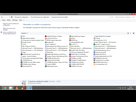
Jvois rien non plus faut croire que ça a été supprimé 
Ouais, merci !
Salut
Désoler du up mais j'ai le même soucis
À chaque fois que j'allume mon PC j'ai Techbrowsing.com qui s'ouvre
J'ai essayer Malwarebyte anti malware mais il n'à rien détecter pourtant j'ai toujours le truc Techbrowsing.comme qui s'ouvre au démarrage alors que j'ai rien lancer 
Une solution ?
- Aide à l'achat Mac
- Macintosh
- Création de sites web
- Création de Jeux
- Linux
- Programmation
- Internet
- Steam Deck
- Hardware